
How to Secure Your Home Network: An Ultimate Guide
how to secure your home network

How to Secure Your Home Network: An Ultimate Guide

Fortify your digital fortress and safeguard your personal information from evolving online threats with expert strategies.

Start Protecting Now

Key Takeaways

  • ✓ Most home networks are vulnerable to basic attacks.
  • ✓ Default router settings are often insecure.
  • ✓ IoT devices introduce new security risks.
  • ✓ Regular updates are crucial for network defense.

How It Works

1
Assess Your Current Setup

Identify all connected devices, your router's model, and current security settings. Understanding your starting point is key to building a robust defense.

2
Implement Core Protections

Change default passwords, enable strong encryption, and configure your firewall. These fundamental steps close common vulnerabilities immediately.

3
Manage Devices & Updates

Regularly update router firmware and device software to patch security flaws. Disconnect unused devices and segment your network for better control.

4
Maintain Vigilance & Evolve

Monitor network activity, educate yourself on new threats, and adapt your security measures. Cybersecurity is an ongoing process, not a one-time setup.

Understanding the Threats to Your Home Network Security
Wooden blocks spelling 'Cyber Security' on a wooden grid background. Photo: Ann H / Pexels
In an increasingly connected world, your home network is the digital gateway to your personal life. From banking details and work documents to family photos and smart home controls, a vast amount of sensitive information flows through your router every second. Unfortunately, this convenience comes with inherent risks. Cybercriminals are constantly looking for vulnerabilities to exploit, and an unsecured home network is an open invitation. Understanding these threats is the first critical step in building a robust defense strategy for your digital sanctuary. One of the most common threats is unauthorized access. This can range from a neighbor 'borrowing' your Wi-Fi, slowing down your connection, to a malicious actor gaining full control of your network. Once inside, they can eavesdrop on your online activities, steal personal data, or even launch attacks on other devices connected to your network. Phishing attacks, though often delivered via email, can leverage a compromised network to appear more legitimate or to redirect you to malicious sites without your knowledge. Malware, including viruses, spyware, and ransomware, can spread rapidly across an unsecured network, infecting multiple devices and holding your data hostage. These threats are not limited to traditional computers; smart home devices, often referred to as the Internet of Things (IoT), are notoriously insecure and present new avenues for attack. A compromised smart thermostat or security camera could provide a backdoor into your entire network. Another significant threat is the 'Man-in-the-Middle' (MitM) attack, where an attacker intercepts communication between two parties without their knowledge. Imagine a hacker positioning themselves between your computer and a banking website, secretly relaying and potentially altering your communication. This can lead to credential theft or fraudulent transactions. Denial-of-Service (DoS) attacks, while less common for individual home users, can still occur, overwhelming your router with traffic and rendering your internet connection unusable. Furthermore, outdated software and firmware are prime targets. Manufacturers frequently release updates to patch newly discovered security vulnerabilities. Neglecting these updates leaves gaping holes in your network's defenses, ready for exploitation by anyone with basic hacking tools. The sheer volume and sophistication of these threats necessitate a proactive and multi-layered approach to securing your home network, moving beyond basic password protection to a comprehensive cybersecurity posture.

Foundational Steps to Fortify Your Router's Defenses
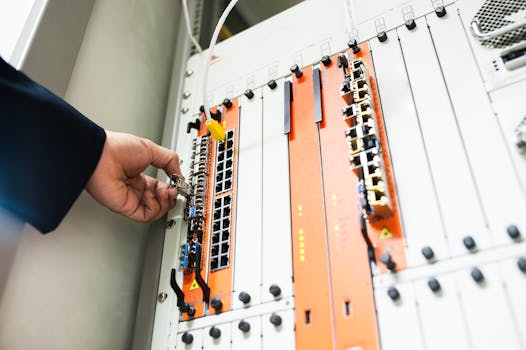
Close-up of a hand adjusting network equipment in a data center. Photo: panumas nikhomkhai / Pexels
Your router is the heart of your home network, acting as the primary gatekeeper between your devices and the internet. Therefore, securing it is paramount. Many routers come with default settings that are far from secure, making them easy targets for attackers. The first and most critical step is to change the default administrator username and password. These default credentials are often publicly available online, making it trivial for an attacker to gain full control of your router. Choose a strong, unique password that combines uppercase and lowercase letters, numbers, and symbols, and avoid easily guessable information like your name or birthdate. While you're in the router's administration panel, which you can usually access by typing its IP address (often 192.168.1.1 or 192.168.0.1) into your web browser, ensure your Wi-Fi network uses WPA3 or at least WPA2-AES encryption. WEP and older WPA versions are easily cracked and offer minimal protection. Next, disable Universal Plug and Play (UPnP) if you don't explicitly need it. While convenient for automatically configuring devices like gaming consoles, UPnP has a history of security vulnerabilities that can be exploited to bypass your firewall and expose your devices to the internet. Similarly, disable remote management access to your router unless it's absolutely necessary and you understand the risks. If remote access is essential, ensure it's protected by a very strong password and consider restricting access to specific IP addresses. Another crucial step is to regularly update your router's firmware. Firmware is the operating system of your router, and manufacturers frequently release updates to fix bugs, improve performance, and, most importantly, patch security vulnerabilities. Check your router manufacturer's website for the latest firmware or use your router's administration interface to check for updates. Neglecting this can leave your network exposed to known exploits. Consider creating a separate guest Wi-Fi network. Most modern routers offer this feature. A guest network isolates visitors' devices from your main network, preventing them from accessing your personal files, smart devices, or other sensitive resources. This is particularly useful when you have guests, service personnel, or even untrusted IoT devices that require internet access but shouldn't have access to your private network. Finally, disable Wi-Fi Protected Setup (WPS) if your router supports it. While designed for convenience in connecting devices, WPS has known security flaws that can allow attackers to brute-force your Wi-Fi password in a matter of hours. Taking these foundational steps will significantly harden your router, making it a much more formidable barrier against potential threats and an essential part of overall digital security.

Advanced Strategies for Comprehensive Network Protection

A group of people in a dark room working on computers, related to cybersecurity. Photo: Tima Miroshnichenko / Pexels
Beyond the foundational steps, implementing advanced strategies can provide a multi-layered defense against sophisticated cyber threats. One powerful technique is network segmentation. This involves dividing your home network into smaller, isolated segments. For instance, you can create a separate network for your Internet of Things (IoT) devices, such as smart cameras, thermostats, and speakers, distinct from your primary network where your computers and smartphones reside. If an IoT device is compromised, the attacker's access would be limited to that specific segment, preventing them from easily pivoting to your more sensitive devices. This often requires a router with advanced features or the use of a managed switch, but it offers a significant boost in security. Think of it as having multiple locked doors within your digital home. Another crucial advanced step is to implement a robust firewall configuration. While your router has a built-in firewall, reviewing and customizing its rules can greatly enhance protection. Block incoming connections from unknown sources and only allow necessary outgoing traffic. For more granular control, consider a dedicated firewall solution, either hardware-based or software-based on your primary devices. Regularly reviewing your firewall logs can also help identify suspicious activity. Furthermore, consider using a Virtual Private Network (VPN) at the router level. A VPN encrypts all internet traffic leaving your home network, making it unreadable to snoopers, including your Internet Service Provider (ISP) and potential attackers. While client-side VPNs protect individual devices, a router-level VPN extends this protection to every device connected to your network, including those that can't run VPN software independently, like smart TVs or gaming consoles. This adds an invaluable layer of privacy and security. Regularly auditing your connected devices is also essential. Periodically check your router's administration panel for a list of connected devices. If you see any unfamiliar devices, immediately investigate. They could be unauthorized users or a sign of a compromised password. Disconnect any devices you no longer use, or which are no longer receiving security updates from their manufacturers. For devices you do use, ensure they are always running the latest software and firmware. This includes smart home devices, smartphones, tablets, and computers. Outdated software is a leading cause of security breaches. Finally, consider implementing DNS (Domain Name System) filtering. Services like OpenDNS or Cloudflare DNS (1.1.1.1) can block access to known malicious websites, phishing sites, and adult content at the network level, providing an additional layer of defense for all connected devices. Some advanced routers even allow you to set up parental controls and content filtering directly. These advanced strategies, while requiring a bit more technical know-how, significantly elevate your home network's resilience against evolving cyber threats, transforming it into a true digital fortress. Understanding network protocols can further enhance your ability to configure these advanced settings.

Essential Best Practices & Common Mistakes to Avoid

Dark room setup with code displayed on PC monitors highlighting cybersecurity themes. Photo: Tima Miroshnichenko / Pexels
Securing your home network isn't a one-time task; it's an ongoing commitment to best practices and a continuous avoidance of common pitfalls. Adopting these habits ensures your digital defenses remain strong against new and evolving threats. Here are some essential best practices: * **Regularly Update All Software and Firmware**: This cannot be stressed enough. Enable automatic updates wherever possible for operating systems, applications, and especially router firmware. Updates often contain critical security patches that fix vulnerabilities exploited by attackers. * **Use Strong, Unique Passwords for Everything**: Not just your Wi-Fi. Every online account, every device, every service should have a complex, unique password. Use a reputable password manager to keep track of them. Avoid reusing passwords at all costs. * **Enable Two-Factor Authentication (2FA) Everywhere Possible**: This adds an extra layer of security, requiring a second form of verification (like a code from your phone) in addition to your password. Even if your password is stolen, 2FA can prevent unauthorized access. * **Backup Your Data Regularly**: In the event of a ransomware attack or data loss, having recent backups can be a lifesaver. Store backups offline or in secure cloud storage. * **Be Wary of Public Wi-Fi**: Public Wi-Fi networks are often unsecured and can be easily monitored by attackers. Use a VPN when connecting to public Wi-Fi to encrypt your traffic. * **Educate Yourself and Your Family**: Teach family members about phishing, suspicious links, and the importance of strong passwords. Human error is often the weakest link in any security chain. Conversely, there are several common mistakes that can severely compromise your home network's security: * **Ignoring Router Firmware Updates**: Many users 'set and forget' their router, never updating its firmware. This leaves critical vulnerabilities unpatched. * **Using Default Passwords**: As mentioned, default Wi-Fi and router admin passwords are cybercrime's low-hanging fruit. Change them immediately. * **Disabling Your Firewall**: Some users disable their firewall for perceived performance gains or troubleshooting, leaving their network wide open to attacks. * **Connecting Untrusted Devices to Your Main Network**: IoT devices, especially older ones, can be security risks. Isolate them on a guest or IoT network. * **Clicking on Suspicious Links or Opening Unknown Attachments**: This is a primary vector for malware and phishing attacks. Always verify the sender and the legitimacy of the link/attachment. * **Not Changing Passwords After a Breach**: If you learn that an online service you use has suffered a data breach, immediately change your password for that service and any other accounts where you might have reused it. By diligently following these best practices and consciously avoiding common mistakes, you can significantly reduce the risk of your home network being compromised and ensure a safer digital environment for everyone in your household.

Comparison

FeatureBest OptionAlternative 1Alternative 2
Wi-Fi EncryptionWPA3WPA2-AESWPA/WEP (Avoid)
Router Admin PasswordUnique, Strong, ComplexUnique, StrongDefault (Never!)
Firmware UpdatesAutomatic/Frequent ManualSemi-Regular ManualNever (High Risk)
Guest Network✓ (Separate IoT)✓ (Standard)✗ (Single Network)
VPN ProtectionRouter-level VPNClient-side VPNNo VPN
UPnPDisabledEnabled (Cautiously)Enabled (Default)

What Readers Say

"This guide completely transformed how I approach my home network. I used to think changing the Wi-Fi password was enough, but now I understand the depth of protection needed. My smart home feels so much safer now."

Sarah J. · Austin, TX

"As a non-techy person, I found the steps on how to secure your home network incredibly clear and actionable. The section on router settings was particularly helpful. I finally feel confident about my online privacy."

David L. · Seattle, WA

"Following this guide, I set up a separate network for my IoT devices and updated my router's firmware for the first time. The peace of mind alone is worth it; I even caught an unknown device trying to connect!"

Maria P. · Miami, FL

"While some parts were a bit advanced for me, the core recommendations for how to secure your home network were invaluable. I wish there was a bit more on choosing specific hardware, but overall, a fantastic resource."

Ethan R. · Denver, CO

"Running a home-based business, securing my network is non-negotiable. This article provided a comprehensive checklist that helped me identify and fix several potential vulnerabilities. Highly recommend for anyone serious about digital security."

Chloe K. · Chicago, IL

Frequently Asked Questions

What is the single most important step to secure my home network?

The single most important step is to change your router's default administrator username and password, as well as your Wi-Fi password. Default credentials are widely known and pose an immediate, severe security risk. Use strong, unique passwords for both to prevent unauthorized access to your router's settings and your network.

Is WPA2 encryption still good enough, or do I need WPA3?

While WPA2-AES is still considered strong and widely used, WPA3 offers enhanced security features, including stronger encryption and protection against brute-force attacks. If your router and devices support WPA3, it's highly recommended to use it. If not, ensure your WPA2 is configured with AES, not TKIP.

How often should I update my router's firmware?

You should check for and apply router firmware updates regularly, ideally once every few months or whenever your router manufacturer releases a new version. These updates often contain critical security patches that address newly discovered vulnerabilities, keeping your network protected against emerging threats.

Does securing my home network cost a lot of money?

No, many crucial steps to secure your home network are free, such as changing passwords, updating firmware, and enabling WPA3. Some advanced measures, like a dedicated VPN service or upgrading your router, may involve costs, but the fundamental protections are accessible to everyone without significant expense.

How does a guest Wi-Fi network improve security?

A guest Wi-Fi network isolates visitors' devices from your main network. This prevents guests from accessing your personal files, smart home devices, or other sensitive resources on your primary network. If a guest's device is compromised, the threat is contained to the guest network, safeguarding your private data.

Who should be concerned about how to secure their home network?

Everyone with an internet connection and a home network should be concerned about securing it. This includes individuals, families, and those who work from home. With the increasing number of connected devices and the rising sophistication of cyber threats, robust network security is essential for protecting personal data, privacy, and smart home ecosystems.

Are smart home devices a security risk?

Yes, many smart home (IoT) devices can pose significant security risks. They often have weak default passwords, infrequent security updates, and can be exploited to gain access to your network. It's crucial to secure them with unique passwords, update their firmware, and ideally, isolate them on a separate network segment.

What are future trends in home network security I should be aware of?

Future trends include more sophisticated AI-powered threat detection integrated into routers, increased adoption of WPA3 and even newer encryption standards, and a greater emphasis on micro-segmentation for IoT devices. Expect more intuitive security management tools and a continued focus on user education to combat evolving cyber threats.

Don't leave your digital life vulnerable. Take control of your home network security today by implementing these expert strategies. Your privacy, data, and peace of mind depend on knowing how to secure your home network effectively.

Topics: how to secure your home networkcybersecurity for homerouter security tipswifi network protectioninternet security best practices
Leo List
Brampton weed
Adultwork EstrelaBet Vai de Bet R7 Bet Betão Galera Bet Rainbet Bet9ja Shop SportyBet BetKing Sisal Loto Foot Hollywoodbets YesPlay Odibets RushBet Jugabet BetWarrior BetCity MSport betPawa Fortebet