How to Choose a Gaming Laptop: Your Ultimate Buying Guide

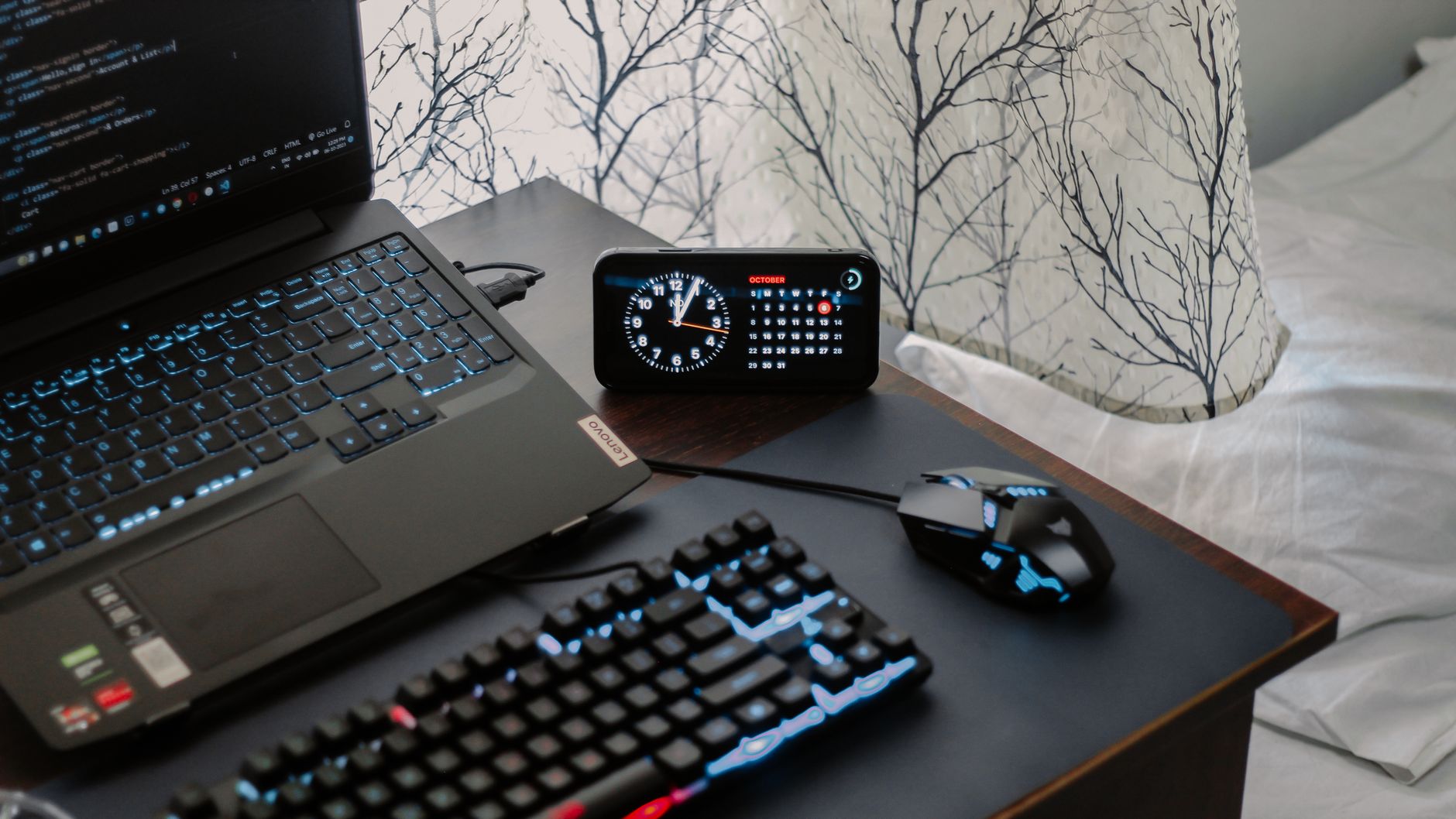
A modern workspace featuring a laptop, digital clock, gaming mouse, and keyboard, ideal for work and tech enthusiasts.Photo: Arjunn. la / Pexels

How to Choose a Gaming Laptop: Your Ultimate Buying Guide

Unlock unparalleled gaming experiences on the go by making an informed choice for your next portable powerhouse.

Start Your Gaming Journey

Key Takeaways

  • ✓ GPU is the most critical component for gaming performance.
  • ✓ CPU, RAM, and Storage also significantly impact gaming and overall system speed.
  • ✓ Screen features like refresh rate and resolution are crucial for visual immersion.
  • ✓ Battery life in gaming laptops is generally short when gaming, prioritize plugged-in use.

How It Works

1
Define Your Budget

Determine how much you're willing to spend. This will narrow down your options significantly and help prioritize features.

2
Prioritize Core Components

Focus on the GPU, then CPU, RAM, and storage. These dictate game performance, multitasking, and load times.

3
Consider Display & Peripherals

Evaluate screen size, resolution, and refresh rate for visual quality. Don't forget keyboard, trackpad, and port selection for usability.

4
Read Reviews & Compare

Consult expert reviews and user testimonials for real-world performance insights. Compare models within your budget to find the best value.

Understanding Core Components for Gaming Performance
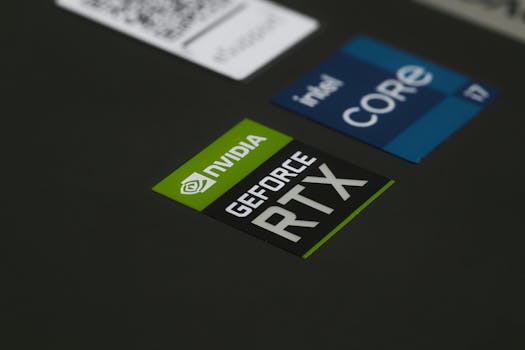
Close-up of NVIDIA GeForce RTX and Intel Core i7 stickers on a laptop surface, showcasing modern technology.Photo: Ruben Boekeloo / Pexels
When you're trying to figure out how to choose a gaming laptop, the internal hardware is paramount. Unlike a standard laptop, a gaming machine needs significantly more horsepower to render complex 3D environments, manage intricate game logic, and maintain high frame rates. The Graphics Processing Unit (GPU) is, without a doubt, the single most important component. It's the engine that drives your visual experience, directly impacting how smoothly and beautifully your games run. For modern gaming, look for NVIDIA's RTX series (e.g., RTX 3050, 3060, 3070, 3080, or the newer 40-series) or AMD's Radeon RX series (e.g., RX 6600M, 6700M, 6800M). A more powerful GPU means you can play games at higher resolutions, with more graphical detail, and at a smoother frame rate. Next in line is the Central Processing Unit (CPU). While the GPU handles the heavy lifting of graphics, the CPU is responsible for everything else: game physics, AI, background applications, and feeding instructions to the GPU. A weak CPU can bottleneck even the most powerful GPU, leading to stuttering or lower frame rates. Intel's Core i7 or i9 (11th generation or newer) and AMD's Ryzen 7 or Ryzen 9 (5000 series or newer) are excellent choices for gaming. For a balanced system, aim for a CPU that's strong enough not to limit your chosen GPU. Random Access Memory (RAM) is crucial for multitasking and loading game assets quickly. While 8GB of RAM might suffice for older or less demanding titles, 16GB is the sweet spot for most modern gaming and ensures smooth performance when juggling multiple applications. For enthusiasts or those who stream while gaming, 32GB can offer extra headroom. Always look for DDR4 or, even better, DDR5 RAM for faster speeds. Finally, storage. Gaming laptops benefit immensely from Solid State Drives (SSDs). NVMe SSDs are the fastest, offering lightning-fast game load times and system responsiveness. A minimum of 512GB is recommended, but 1TB or more is ideal, especially given the ever-growing size of modern game installations. Some laptops offer a hybrid solution with a smaller SSD for the operating system and essential games, paired with a larger Hard Disk Drive (HDD) for mass storage. However, for the best gaming experience, prioritize SSD storage for all your games. Understanding these core components is the first step in making an informed decision about your gaming laptop. For a deeper dive into general laptop specifications, check out our guide on how to choose a laptop.

Display, Cooling, and Ergonomics: Enhancing Your Gaming Experience
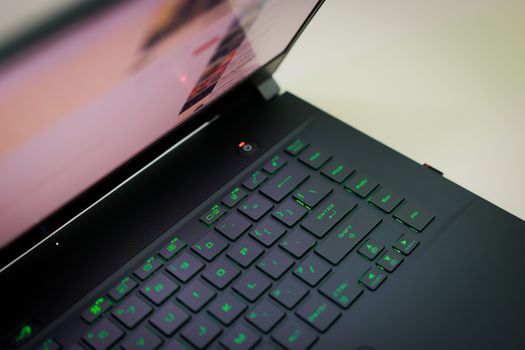
A sleek laptop with a glowing green keyboard illuminated, showcasing modern technology.Photo: Foysal Ahmed / Pexels
Beyond the raw power of internal components, the display, cooling system, and overall ergonomics play a significant role in your gaming satisfaction. When considering how to choose a gaming laptop, the screen is your window into the game world, and its specifications directly impact visual fidelity and responsiveness. Look for a display with a high refresh rate – 120Hz, 144Hz, or even 240Hz are common. A higher refresh rate means smoother motion, which is particularly beneficial in fast-paced competitive games. Resolution is another factor; while 1080p (Full HD) is standard and excellent for maintaining high frame rates, some premium models offer 1440p or even 4K displays. Keep in mind that higher resolutions demand more from your GPU. Panel type also matters: IPS panels offer excellent color accuracy and wide viewing angles, making them a popular choice for gaming. Cooling is often an overlooked but critical aspect of gaming laptops. Powerful components generate a lot of heat, and inefficient cooling can lead to thermal throttling, where the laptop reduces performance to prevent overheating. This means your expensive CPU and GPU won't perform at their full potential. Look for laptops with robust cooling solutions, including multiple fans, large heat pipes, and efficient ventilation. Reviews often highlight how well a laptop manages heat under sustained gaming loads. Ergonomics encompass the keyboard, trackpad, and overall build quality. A comfortable and responsive keyboard is essential for gaming. Many gaming laptops feature mechanical or membrane keyboards with anti-ghosting technology and customizable RGB backlighting. The trackpad is less critical for gaming, as most gamers use an external mouse, but a decent one is still appreciated for general use. Build quality, port selection, and weight are also important. Do you need a lightweight, portable machine, or are you okay with a heavier, more robust desktop replacement? Ensure the laptop has enough USB ports, an HDMI or DisplayPort output for external monitors, and an Ethernet port for stable internet connectivity. These factors collectively contribute to a truly immersive and comfortable gaming session, making them key considerations when you're deciding how to choose a gaming laptop.

Budgeting and Future-Proofing Your Gaming Laptop Investment

Person holds a gaming controller while interacting with a laptop, emphasizing modern gaming technology.Photo: Castorly Stock / Pexels
Budget is often the primary constraint when learning how to choose a gaming laptop, and it's essential to set realistic expectations. Gaming laptops range from entry-level machines around $800-$1200 to high-end powerhouses exceeding $3000. • **Entry-Level (Under $1200):** Expect a GTX 1650/RTX 3050 GPU, Intel Core i5/Ryzen 5 CPU, 8GB RAM, and 256-512GB SSD. These are suitable for 1080p gaming at medium settings in most modern titles. • **Mid-Range ($1200-$2000):** This segment offers the best value. You'll find RTX 3060/3070 (or equivalent AMD) GPUs, Core i7/Ryzen 7 CPUs, 16GB RAM, and 512GB-1TB SSDs. These can handle 1080p gaming at high/ultra settings and some 1440p gaming. • **High-End ($2000+):** These feature RTX 3070 Ti/3080/3080 Ti/40-series (or equivalent AMD) GPUs, Core i7/i9 or Ryzen 7/9 CPUs, 16-32GB RAM, and 1TB+ NVMe SSDs. Expect top-tier performance at 1080p/1440p, even 4K on some models, with high refresh rates and premium build quality. Future-proofing a gaming laptop is challenging due to rapid technological advancements, but you can make smart choices to extend its lifespan. Investing in a slightly more powerful GPU than you currently need is a good strategy, as it will handle future games better. Opting for 16GB of RAM is also a wise choice, as it's becoming the standard for new titles. Many gaming laptops allow for RAM and storage upgrades (adding another SSD or replacing existing modules), which can significantly extend the machine's usability down the line. Always check a laptop's upgradeability before purchasing. Consider the brand's reputation for build quality, customer support, and warranty. Brands like ASUS ROG, MSI, Razer, Alienware, Lenovo Legion, and Acer Predator/Nitro are well-regarded in the gaming laptop space. Reading user reviews and watching video reviews can provide invaluable real-world insights into potential issues or outstanding features. Remember that a gaming laptop is a significant investment; a bit of extra research now can save you headaches and buyer's remorse later. For more general advice on technology purchases, explore our tech buying guides.

Common Mistakes to Avoid When Buying a Gaming Laptop

Person holds a gaming controller while interacting with a laptop, emphasizing modern gaming technology.Photo: Castorly Stock / Pexels
Navigating the world of gaming laptops can be tricky, and certain pitfalls can lead to an unsatisfactory purchase. Knowing how to choose a gaming laptop also means knowing what mistakes to avoid. Here are some common errors: * **Prioritizing CPU over GPU:** While a good CPU is important, the GPU is the primary driver of gaming performance. Many beginners mistakenly focus on getting the latest i9 or Ryzen 9, only to pair it with a mid-range GPU, leading to an unbalanced system where the CPU is underutilized and the gaming experience suffers. Always allocate a larger portion of your budget to the best GPU you can afford. * **Ignoring Cooling Solutions:** Gaming laptops pack powerful components into a compact chassis, generating significant heat. A laptop with inadequate cooling will thermal throttle, meaning its performance will drop to prevent overheating. Always research a laptop's cooling system through reviews to ensure it can sustain peak performance during long gaming sessions. * **Underestimating Storage Needs:** Modern games are massive. A 512GB SSD can fill up quickly with just a few AAA titles. Skimping on storage means constant juggling of games or lengthy download times. Aim for at least 1TB NVMe SSD, or a configuration that allows for easy storage upgrades. * **Overlooking Display Specifications:** A powerful GPU is wasted if your display can't keep up. A low refresh rate (e.g., 60Hz) will make games feel less fluid, even if your GPU is pushing hundreds of frames per second. Ensure your display has a high refresh rate (120Hz+) and suitable resolution for your GPU. * **Forgetting Portability and Battery Life:** While gaming laptops are designed for portability, they are often heavier and have significantly shorter battery life (especially while gaming) compared to standard laptops. If you plan to game on the go frequently, consider the weight and dimensions. Also, understand that gaming unplugged will drastically reduce performance and battery endurance. * **Not Reading Real-World Reviews:** Manufacturer specifications are important, but real-world usage reviews from reputable tech sites and users provide invaluable insights into a laptop's actual performance, thermal management, keyboard feel, and overall user experience. Don't rely solely on spec sheets.

Comparison

FeatureHigh-End Gaming LaptopMid-Range Gaming LaptopEntry-Level Gaming Laptop
GPUNVIDIA RTX 3070 Ti / 40-series, AMD RX 6800M+NVIDIA RTX 3060 / 3070, AMD RX 6600M / 6700MNVIDIA GTX 1650 / RTX 3050, AMD RX 6500M
CPUIntel Core i7/i9, AMD Ryzen 7/9Intel Core i7, AMD Ryzen 7Intel Core i5, AMD Ryzen 5
RAM16GB - 32GB DDR4/DDR516GB DDR48GB DDR4
Storage1TB+ NVMe SSD512GB - 1TB NVMe SSD256GB - 512GB SSD
Display (Refresh Rate)144Hz - 360Hz (1440p/4K options)120Hz - 165Hz (1080p)60Hz - 120Hz (1080p)
Price Range (approx. USD)$2000+$1200 - $2000$800 - $1200

What Our Readers Say

5 ★★★★★

"This guide was a lifesaver in helping me understand how to choose a gaming laptop. I used to just look at processor speed, but now I know the GPU is key. Ended up with a fantastic mid-range laptop that handles all my games beautifully."

5 ★★★★★

"I was completely overwhelmed by the options. This article broke down the components and budget tiers perfectly. I feel much more confident in my upcoming purchase and avoiding common mistakes."

5 ★★★★★

"Following the advice on prioritizing GPU and cooling, I got an ASUS ROG with an RTX 3070. It performs flawlessly, even during long sessions, and I haven't experienced any thermal throttling. Huge thanks!"

4 ★★★★☆

"The guide was very thorough, though I wish it had a bit more on specific brand comparisons. Still, it helped me understand refresh rates and SSDs, which were totally new concepts for me. Good starting point."

5 ★★★★★

"As a casual gamer looking to upgrade from an old desktop, this article on how to choose a gaming laptop was incredibly helpful. It clarified why certain specs matter and guided me to a laptop that fits my budget and gaming needs perfectly, without overspending."

Frequently Asked Questions

What is the most important component when choosing a gaming laptop?
The Graphics Processing Unit (GPU) is unequivocally the most critical component for a gaming laptop. It directly influences frame rates, graphical fidelity, and the overall smoothness of your gaming experience. While other components are important, a powerful GPU should be your top priority.
Is 8GB of RAM enough for a gaming laptop?
While 8GB of RAM might suffice for older or less demanding games, 16GB is highly recommended for modern AAA titles and multitasking. Many new games are designed with 16GB as the baseline, and having less can lead to stuttering or slow loading times.
How do I ensure my gaming laptop doesn't overheat?
To prevent overheating, research the laptop's cooling system through professional reviews. Look for models with multiple fans, large heat pipes, and efficient ventilation. You can also use a cooling pad and ensure good airflow around the laptop during use.
How much should I spend on a gaming laptop?
The cost varies widely, but a good mid-range gaming laptop typically falls between $1200 and $2000. Entry-level options start around $800-$1200, while high-end machines can exceed $2000. Your budget should align with the performance and features you expect.
Are gaming laptops as good as gaming desktops?
Gaming laptops offer portability that desktops lack, but typically, for the same price, a gaming desktop will offer superior performance, easier upgradeability, and better cooling. Laptops are an excellent choice for gamers who need to game on the go, but desktops generally provide more raw power and longevity.
Who should consider buying a gaming laptop?
A gaming laptop is ideal for gamers who need portability, frequently travel, or have limited space for a desktop setup. It's also suitable for students or professionals who need a powerful machine for both work/study and entertainment, consolidating their computing needs into one device.
What are the risks of buying a cheap gaming laptop?
Buying a very cheap gaming laptop often means compromising significantly on performance, cooling, and build quality. This can lead to low frame rates, thermal throttling, a short lifespan, and a generally frustrating gaming experience. It's often better to save a bit more for a mid-range option.
What future trends should I consider when buying a gaming laptop?
Future trends include more efficient and powerful GPUs, faster DDR5 RAM, wider adoption of high-refresh-rate QHD (1440p) displays, and advancements in cooling technology. Consider a laptop with upgradeable RAM and storage to extend its relevance as technology evolves.

Armed with this knowledge, you're ready to confidently choose a gaming laptop that perfectly matches your needs and budget. Dive into the world of portable gaming with a machine designed for victory!

Topics: how to choose a gaming laptopgaming laptop buying guidebest gaming laptop specsgaming laptop budgetportable gaming PC