Best Smart Home Devices for Beginners: Simplify Your Life
July 13, 2026 16 min read 3,221 words
Unlock the power of smart living with intuitive devices designed for first-time users. Automation made easy.
Start Your Smart Home Journey
Why Start a Smart Home? Unlocking Simplicity and Efficiency
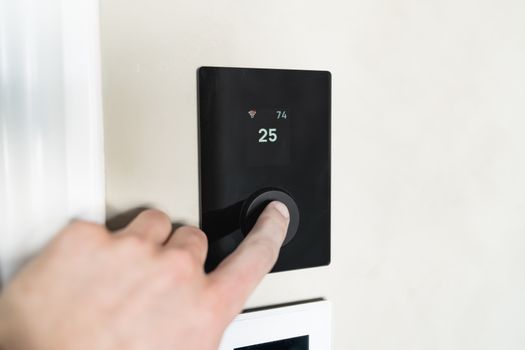 Photo: HUUM │sauna heaters / Pexels
The idea of a 'smart home' can sometimes feel overwhelming, conjuring images of complex wiring diagrams and expensive installations. However, for beginners, the reality is far simpler and more accessible than ever before. Starting your smart home journey is about embracing convenience, enhancing security, and boosting energy efficiency with minimal effort. It's about taking small, deliberate steps to automate everyday tasks, giving you more time for what truly matters. Imagine walking into a perfectly lit home, or having your coffee machine start brewing just as your alarm goes off – these are not futuristic fantasies, but easily achievable realities with the right beginner-friendly devices.
One of the primary reasons to dip your toes into smart home technology is the sheer convenience it offers. No more fumbling for light switches, worrying if you locked the door, or wondering if you left the oven on. With smart devices, control is literally at your fingertips, whether through a smartphone app or your voice. This level of automation can transform mundane routines into seamless experiences. For instance, smart lighting systems allow you to adjust brightness and color, set schedules, and even simulate presence when you're away, all from your couch or thousands of miles away. Similarly, smart plugs can turn any ordinary appliance into a 'smart' one, letting you control lamps, fans, or even holiday decorations remotely. The beauty lies in their simplicity – most beginner devices are designed for plug-and-play installation, often requiring just a few taps on an app to get started. You don't need to be a tech wizard; you just need a Wi-Fi connection and a desire for a more streamlined life.
Beyond convenience, smart home technology offers significant advantages in terms of security and energy management. Smart security devices, like video doorbells and indoor cameras, provide an extra layer of protection, allowing you to monitor your home from anywhere. You can receive alerts when motion is detected, speak to visitors remotely, and even record footage for peace of mind. These devices are particularly reassuring for those who travel frequently or simply want to keep an eye on their property. On the energy front, smart thermostats are game-changers. They learn your preferences, can be programmed to adjust temperatures based on your schedule, and can even be controlled remotely, ensuring you're not heating or cooling an empty house. This not only contributes to a greener lifestyle but can also lead to noticeable savings on your utility bills. By starting with just one or two of these foundational devices, beginners can quickly see the tangible benefits and build confidence to expand their smart home ecosystem. The initial investment is often surprisingly low, especially for individual devices, making it an accessible way to experience the future of home living. For more on general smart home trends, consider exploring
the latest in smart home technology.
Essential Smart Home Devices for First-Time Users
 Photo: Ron Lach / Pexels
When embarking on your smart home journey, it's crucial to select devices that are not only effective but also incredibly easy to set up and use. The goal for beginners is to avoid complexity and embrace simplicity, allowing for a smooth transition into automated living. Here are some of the most highly recommended smart home devices that offer maximum impact with minimal fuss, perfect for anyone just starting out.
**1. Smart Plugs:** Often hailed as the gateway drug to smart homes, smart plugs are undeniably the simplest and most cost-effective way to make your existing appliances smart. These small devices plug into any standard outlet, and then you plug your appliance into them. Suddenly, your old lamp, fan, or coffee maker can be controlled via an app on your phone or through a voice assistant. You can schedule them to turn on or off at specific times, group them with other devices, or even integrate them into routines. The beauty of smart plugs lies in their versatility and affordability. You don't need to replace your beloved appliances; you just make them smarter. Brands like TP-Link Kasa, Wemo, and Amazon Smart Plug are excellent choices for their ease of setup and reliable performance. They typically connect directly to your home Wi-Fi, eliminating the need for a separate hub.
**2. Smart Light Bulbs & Switches:** Controlling your home's lighting is one of the most satisfying smart home experiences. Smart light bulbs, such as those from Philips Hue (though some require a bridge, others are Bluetooth-only for beginners), Sengled, or Wyze, screw into existing fixtures just like regular bulbs. The magic happens when you can change their color, dim them, or set schedules from your phone or voice. Imagine waking up to gradually brightening lights or having your lights turn off automatically when you leave the house. For a slightly more advanced but still beginner-friendly option, smart light switches can control entire light fixtures, including those with multiple bulbs, without needing to replace every bulb. Brands like Lutron Caséta and Leviton Decora Smart offer reliable smart switch solutions, though they often require basic electrical knowledge for installation or professional help. For most beginners, smart bulbs offer a more direct and less invasive entry point.
**3. Smart Speakers with Voice Assistants:** Devices like the Amazon Echo Dot or Google Nest Mini are more than just speakers; they are the brains of many smart home setups. These voice assistants allow you to control your other smart devices with simple voice commands. "Alexa, turn on the living room lights," or "Hey Google, lock the front door" become common phrases. Beyond controlling devices, they can play music, answer questions, set timers, and even tell you the weather. They serve as a central command center, simplifying the interaction with your growing smart home ecosystem. Most smart devices are designed to be compatible with either Alexa or Google Assistant, making these speakers an almost essential first purchase for a truly hands-free experience.
**4. Smart Thermostats:** While a slightly larger investment, a smart thermostat like the Google Nest Thermostat or Ecobee Lite can offer significant long-term savings and comfort. These devices learn your preferences, adjust temperatures based on your schedule, and can be controlled remotely via an app. Forget leaving the AC blasting all day; you can turn it on 30 minutes before you arrive home. Many also offer energy reports, helping you understand and optimize your heating and cooling usage. Installation can be a DIY project for those comfortable with basic wiring, or a quick job for a professional. Their intuitive interfaces and energy-saving potential make them a rewarding addition to any beginner's smart home.
These core devices provide a strong foundation for any beginner, offering easy setup, tangible benefits, and clear paths for future expansion. Choosing one or two to start with allows you to get comfortable with the technology before diving deeper.
Building Your Smart Home Ecosystem: Compatibility and Expansion
One of the most critical considerations for beginners venturing into the smart home world is understanding the concept of an 'ecosystem' and ensuring device compatibility. While many devices claim to be 'smart,' not all of them speak the same language or work seamlessly together. A smart home ecosystem refers to a collection of devices and platforms that are designed to integrate and communicate with each other, often centered around a voice assistant or a dedicated smart home hub. For beginners, choosing an ecosystem early on can prevent future headaches and ensure a smoother expansion of your smart home.
Currently, the two dominant smart home ecosystems are Amazon Alexa and Google Assistant. Apple HomeKit offers a third option, particularly appealing to iPhone users, but generally has fewer compatible devices and can sometimes be more expensive. When you purchase a smart speaker like an Amazon Echo or Google Nest, you are essentially committing to that ecosystem. Most smart devices, from light bulbs to security cameras, will clearly state their compatibility: "Works with Alexa," "Works with Google Assistant," or "Works with Apple HomeKit." Sticking primarily to devices that support your chosen ecosystem simplifies setup, centralizes control through a single app or voice assistant, and allows for more complex automations and routines. For example, if you have an Alexa-enabled smart plug and an Alexa-compatible smart thermostat, you can create a routine that turns off the plug and adjusts the thermostat when you say "Alexa, goodnight."
Beyond voice assistants, some advanced smart home setups utilize dedicated hubs like SmartThings or Hubitat. These hubs act as central controllers, often supporting a wider range of communication protocols (like Zigbee and Z-Wave, in addition to Wi-Fi and Bluetooth) and allowing for more intricate automations. However, for beginners, starting with a voice assistant-centric ecosystem is generally recommended due to its simplicity and lower barrier to entry. Many Wi-Fi-only devices don't require a separate hub at all, connecting directly to your home network and integrating with your chosen voice assistant. As you become more comfortable, you might consider a hub for greater control and device flexibility, but it's not a necessary first step.
Expanding your smart home should be a gradual and thoughtful process. Once you're comfortable with smart plugs and lighting, you might consider adding a smart lock for enhanced security and keyless entry, or an indoor camera to monitor pets or children. Always check the compatibility of new devices with your existing ecosystem. Many brands offer a range of products that are designed to work together, simplifying the expansion process. For instance, if you start with Wyze smart bulbs, you might find their cameras or doorbells integrate effortlessly into the same Wyze app and your chosen voice assistant. This phased approach allows you to learn as you go, understand what truly benefits your lifestyle, and avoid overwhelming yourself with too much technology at once. Remember, the goal is to enhance your living experience, not complicate it. For a deeper dive into smart home security, check out our guide on
choosing smart home security cameras.
Tips for a Seamless Smart Home Setup and Common Pitfalls to Avoid
Setting up your first smart home devices can be an exciting venture, but a few strategic tips can make the process even smoother, while knowing common pitfalls can save you from frustration. For beginners, simplicity and reliability are key to a positive experience. Here’s how to ensure your smart home journey is enjoyable and effective:
**Tips for a Seamless Setup:**
* **Strong Wi-Fi is Paramount:** Your smart home relies heavily on your home Wi-Fi network. Ensure you have a strong, stable connection throughout your house, especially where you plan to place devices. Consider upgrading your router or adding Wi-Fi extenders if you have dead zones. Most smart devices operate on the 2.4GHz Wi-Fi band, which offers better range than 5GHz, so make sure your router supports it and you know your 2.4GHz network name and password.
* **Read the Instructions (Seriously):** While many devices boast 'easy setup,' taking a few minutes to read the quick start guide or watch a setup video can prevent common mistakes. Manufacturers often provide app-guided instructions that walk you through each step.
* **Start with One Device:** Don't try to set up five devices at once. Install one smart plug, get it working perfectly, then move on to the next. This allows you to troubleshoot one device at a time and build confidence.
* **Organize Your Accounts:** Many smart devices require creating an account with the manufacturer. Use strong, unique passwords and consider a password manager. Also, consistently use one email address for all your smart home accounts to keep things streamlined.
* **Label Everything:** As your smart home grows, it's easy to forget which smart plug controls what. Use labels on the plugs themselves or in the device names within your app (e.g., "Living Room Lamp," "Kitchen Coffee Maker").
* **Explore Automation Routines:** Once your devices are set up, dive into the automation features within your voice assistant app (Alexa, Google Home) or the device's native app. Simple routines like "Good Morning" (turns on lights, starts coffee) or "Good Night" (turns off lights, locks doors) are incredibly satisfying and show the true power of smart home tech.
**Common Pitfalls to Avoid:**
* **Ignoring Compatibility:** As mentioned, mixing and matching devices from different ecosystems without checking compatibility is a recipe for frustration. Stick to devices that explicitly state they work with your chosen voice assistant (Alexa, Google Assistant) or hub.
* **Overwhelming Yourself:** Don't buy every smart gadget you see. Start with a few key devices that address immediate needs (e.g., lighting, security, energy savings). You can always expand later.
* **Neglecting Network Security:** Your smart home is only as secure as your home network. Use a strong, unique password for your Wi-Fi and keep your router's firmware updated. Be wary of connecting too many unfamiliar or cheap devices to your network, as they could pose security risks.
* **Forgetting Firmware Updates:** Just like your phone or computer, smart devices receive firmware updates. These often include bug fixes, performance improvements, and security patches. Make sure your devices are set to update automatically or check for updates regularly through their respective apps.
* **Expecting Too Much Too Soon:** Smart homes are built over time. Don't expect everything to work flawlessly from day one or to have a fully automated mansion overnight. Enjoy the process of building and customizing your smart space. Troubleshooting is part of the learning curve, and most issues have simple solutions found with a quick online search or by consulting the manufacturer's support.
By following these tips and being aware of potential pitfalls, beginners can enjoy a smooth, efficient, and rewarding experience as they bring their homes into the smart era. The journey should be about making life easier, not more complicated.
