Affordable 4K Monitors for Gaming: Your Ultimate Guide
affordable 4K monitors for gaming

Affordable 4K Monitors for Gaming: Your Ultimate Guide

Experience breathtaking 4K gaming visuals without draining your wallet, finding the perfect balance of price and performance.

Find Your Perfect Monitor

Key Takeaways

  • ✓ 4K resolution offers four times the pixels of 1080p, delivering incredible detail.
  • ✓ Affordable 4K monitors now offer high refresh rates and low response times.
  • ✓ Panel type (IPS, VA, TN) significantly impacts image quality and viewing angles.
  • ✓ HDR support enhances color depth and contrast for more realistic visuals.

How It Works

1
Define Your Gaming Needs

Consider your primary game genres (fast-paced FPS vs. cinematic RPGs) and your current PC hardware capabilities. This helps narrow down essential features like refresh rate and G-Sync/FreeSync.

2
Understand Key Specifications

Familiarize yourself with terms like refresh rate (Hz), response time (ms), panel type (IPS, VA, TN), and HDR. These metrics directly impact your gaming experience and monitor cost.

3
Set a Realistic Budget

Determine how much you're willing to spend, keeping in mind that 'affordable' for 4K gaming monitors often means balancing features. Look for sales and refurbished options to maximize value.

4
Compare Top Contenders

Research monitors that fit your criteria, reading expert reviews and user feedback. Pay attention to specific performance metrics and reported issues to make an informed decision.

The Allure of 4K Gaming: Why Resolution Matters
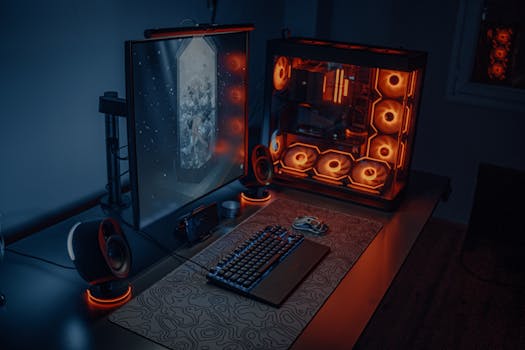
Sleek gaming desk setup featuring RGB lighting, large monitor, and gaming PC with glowing fans. Photo: Atahan Demir / Pexels
For years, 4K gaming felt like a distant dream, reserved for those with bottomless pockets and top-tier graphics cards. Today, however, the landscape has dramatically shifted. The promise of four times the pixels of standard 1080p, delivering unparalleled clarity and detail, is now within reach for a broader audience, thanks to increasingly affordable 4K monitors for gaming. But why does resolution truly matter, especially in the gaming world? It's not just about sharper images; it's about immersion, competitive advantage, and future-proofing your setup. When you step into a game rendered in 4K, the difference is immediately palpable. Textures become incredibly detailed, environmental elements gain lifelike depth, and distant objects appear crisp rather than a blurry mess. This level of visual fidelity pulls you deeper into the game world, transforming a good gaming session into an unforgettable experience. Imagine exploring a vast open world where every leaf on a tree, every ripple in a stream, and every intricate design on a character's armor is rendered with stunning precision. This enhanced detail isn't just for show; it can also offer a competitive edge. In certain games, especially those with larger maps and hidden elements, the ability to discern fine details from a distance can be the difference between spotting an enemy first or being ambushed. The increased screen real estate and pixel density mean less aliasing (jagged edges) and a smoother, more natural image, reducing eye strain during long gaming sessions. Furthermore, investing in an affordable 4K monitor for gaming today prepares your setup for the future. As graphics card technology continues to advance, 4K will become the standard, not the exception. By adopting it now, you ensure your display won't be the bottleneck when the next generation of games pushes visual boundaries even further. It’s a strategic upgrade that pays dividends in both current enjoyment and long-term relevance. While some might argue that refresh rate is paramount, the truth is that for many game genres, especially single-player adventures, RPGs, and strategy games, the sheer visual impact of 4K outweighs the need for ultra-high refresh rates. Modern affordable 4K monitors are increasingly offering a balanced package, combining high resolution with respectable refresh rates (e.g., 60Hz-144Hz) and low response times, making them incredibly versatile. The key is finding that sweet spot where resolution, performance, and price align perfectly with your gaming habits and hardware capabilities. Understanding these core benefits is the first step in appreciating why the search for an affordable 4K monitor for gaming is a worthwhile endeavor for any serious gamer. For more insights into optimizing your gaming setup, check out our guide on choosing the right gaming peripherals. The visual feast that 4K offers is no longer exclusive; it's an attainable luxury that significantly elevates the gaming experience, making every moment spent in virtual worlds more vibrant and engaging.

Key Specifications to Consider for Budget 4K Gaming Monitors
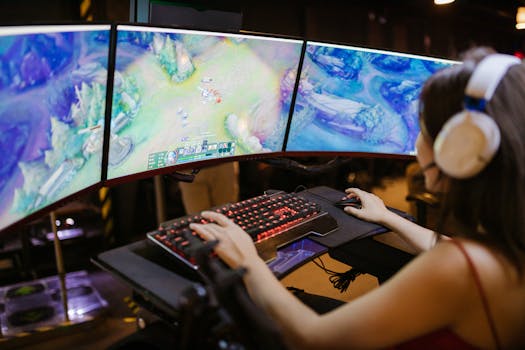
A young woman intently gaming on a multi-screen setup, showcasing vibrant gaming visuals. Photo: RDNE Stock project / Pexels
Navigating the world of gaming monitors can be overwhelming, especially when trying to pinpoint an affordable 4K option that doesn't compromise on essential features. Beyond the 4K resolution itself, several key specifications dictate the quality of your gaming experience. Understanding these will empower you to make an informed decision and find the best value for your money. First and foremost, let's talk about **Refresh Rate**. While 4K resolution enhances visual fidelity, a higher refresh rate ensures smoother motion. For competitive gaming, 120Hz or 144Hz is ideal, but for casual gaming or cinematic experiences, 60Hz can still provide a good experience at 4K. Many affordable 4K monitors now offer 144Hz, which is a fantastic sweet spot for most gamers. A higher refresh rate means more frames per second (FPS) can be displayed, resulting in less motion blur and a more fluid picture, which is critical in fast-paced action games. Next up is **Response Time**. Measured in milliseconds (ms), this indicates how quickly a pixel can change from one color to another. Lower response times (1ms or 4ms GTG - Gray-to-Gray) are crucial for fast-paced games to prevent ghosting or smearing effects, where previous frames linger on the screen. While 1ms is the gold standard for competitive play, 4ms is perfectly acceptable for most gamers and often found on excellent affordable 4K monitors. Another vital specification is the **Panel Type**. The three main types are IPS (In-Plane Switching), VA (Vertical Alignment), and TN (Twisted Nematic). IPS panels offer superior color accuracy and wider viewing angles, making them excellent for vibrant, immersive gaming and content creation. VA panels provide excellent contrast ratios, leading to deeper blacks, which can be fantastic for atmospheric games, though they might have slightly slower response times than IPS. TN panels traditionally offered the fastest response times and refresh rates but at the cost of color accuracy and viewing angles. However, modern IPS and VA panels have significantly closed this gap, making them the preferred choice for most gamers seeking a balance of performance and visual quality, even in the affordable segment. **HDR (High Dynamic Range)** support is also becoming increasingly common. While true HDR performance often requires specific certifications (like DisplayHDR 600 or 1000), even entry-level HDR support can improve contrast and color vibrancy, making games look more lifelike. Don't expect top-tier HDR performance from budget monitors, but any level of HDR can be a welcome addition. Finally, consider **Adaptive Sync Technology**, specifically AMD FreeSync and NVIDIA G-Sync. These technologies synchronize the monitor's refresh rate with your graphics card's frame rate, eliminating screen tearing and stuttering for a smoother gaming experience. Most affordable 4K gaming monitors support FreeSync, and many are now 'G-Sync Compatible,' meaning they work with NVIDIA cards via the VESA Adaptive Sync standard. Ensuring your chosen monitor has one of these will significantly enhance fluidity. By prioritizing these specifications based on your gaming preferences and budget, you can effectively narrow down the vast selection of affordable 4K monitors for gaming and find one that truly elevates your setup without breaking the bank. Understanding these technical aspects is key to making a smart investment in your gaming future.

Top Contenders: Best Affordable 4K Monitors for Gaming in 2024
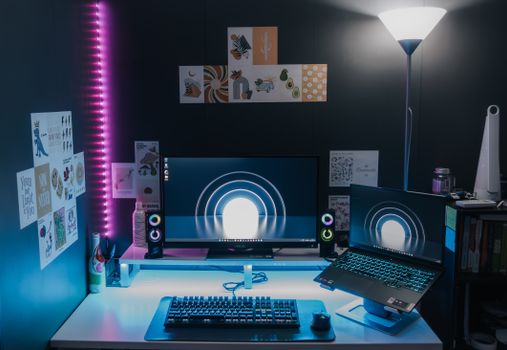
Stylish gaming setup featuring dual monitors, LED lighting, and tech accessories for an immersive experience. Photo: Pramod Tiwari / Pexels
The market for affordable 4K monitors for gaming has never been more competitive, with manufacturers constantly pushing boundaries to offer premium features at accessible price points. Identifying the 'best' often comes down to a balance of features, performance, and your specific budget. Here, we highlight some of the top contenders that consistently deliver excellent 4K gaming experiences without demanding a premium price tag. One recurring favorite that often appears in discussions about budget-friendly 4K gaming is the **Gigabyte M28U**. This monitor frequently hits the sweet spot for many gamers. It boasts a 28-inch IPS panel, which means excellent color accuracy and wide viewing angles, crucial for immersive gameplay. Crucially, it offers a 144Hz refresh rate and a 1ms MPRT (Moving Picture Response Time), providing the fluidity needed for fast-paced titles. Its connectivity is also a strong point, featuring HDMI 2.1, which is essential for maximizing performance with current-gen consoles like the PS5 and Xbox Series X, alongside DisplayPort 1.4. While its HDR performance isn't top-tier, it does offer VESA DisplayHDR 400 certification, providing a noticeable bump in contrast and vibrancy compared to SDR. For those seeking a slightly different form factor or a more aggressive price point, the **Dell G3223Q** is another excellent option. At 32 inches, it provides a more expansive canvas for 4K visuals, making it incredibly immersive for open-world games and cinematic experiences. Like the Gigabyte M28U, it offers a 144Hz refresh rate and a 1ms GtG response time, backed by an IPS panel for great colors. Its larger size often means a slightly higher price than 27 or 28-inch counterparts, but Dell's reputation for quality control and customer service adds significant value. It also includes HDMI 2.1 ports, ensuring compatibility with the latest gaming hardware. Another strong contender comes from **Acer, with models like the Nitro XV272K KVbmiipruzx**. Acer often provides great value, and this monitor is no exception. It features a 27-inch IPS panel with a 144Hz refresh rate and a 1ms VRB (Visual Response Boost) response time, making it highly suitable for gaming. What often sets Acer apart is their aggressive pricing during sales events, making their already affordable options even more tempting. The Nitro series is well-regarded for its gaming-centric features, including FreeSync Premium compatibility, which ensures tear-free gaming with AMD graphics cards and G-Sync compatibility with NVIDIA cards. For a truly budget-conscious choice, some older models or less-known brands like **AOC or Philips** occasionally offer compelling 4K options, sometimes sacrificing refresh rate for price. For example, an AOC U27P2CA might offer a crisp 4K image at 60Hz, which is perfectly fine for strategy games, RPGs, or productivity, and often comes at a significantly lower cost. While not ideal for competitive FPS, these can be excellent entry points into 4K if your budget is extremely tight. When evaluating these options, remember to check current pricing, as sales and promotions can significantly impact what qualifies as 'affordable.' Always read recent reviews for any potential firmware issues or quality control concerns. The goal is to find a monitor that balances resolution, refresh rate, response time, and panel quality within your budget, ensuring you get the most immersive and enjoyable 4K gaming experience possible. For a deeper dive into current deals, consider consulting our monthly tech deals roundup.

Maximizing Your Affordable 4K Gaming Monitor: Tips and Common Mistakes
Mona Lisa on a computer desktop in a tech-inspired gaming setup with vibrant LED lighting. Photo: Satja Santangtong / Pexels
Acquiring an affordable 4K monitor for gaming is just the first step; optimizing its performance and avoiding common pitfalls will ensure you get the absolute best experience. Many gamers overlook crucial settings or make simple mistakes that can undermine their investment. Here are some essential tips and common mistakes to avoid: **Tips for Maximizing Your Monitor:** * **Calibrate Your Display:** Out-of-the-box settings are rarely optimal. Use Windows' built-in color calibration tool or a dedicated calibrator if you have one. Adjust brightness, contrast, and color temperature to suit your environment and preferences. This ensures colors are accurate and vibrant. * **Enable Adaptive Sync (FreeSync/G-Sync):** If your monitor and graphics card support it, enable FreeSync (for AMD GPUs) or G-Sync (for NVIDIA GPUs) in your graphics card control panel and on the monitor's OSD. This is crucial for eliminating screen tearing and stuttering, providing a much smoother gaming experience. * **Set the Correct Refresh Rate:** After connecting your monitor, ensure Windows (or your operating system) is set to the highest available refresh rate (e.g., 144Hz, not 60Hz). Go to Display Settings > Advanced display settings > Display adapter properties for Display 1 > Monitor tab, and select the highest refresh rate. * **Utilize DisplayPort or HDMI 2.1:** For 4K at high refresh rates, you generally need DisplayPort 1.4 or HDMI 2.1. Ensure you're using the correct cable and port on both your monitor and graphics card to unlock full bandwidth and performance. * **Adjust Game Settings:** Even with a powerful GPU, running every game at ultra settings in 4K might be too demanding. Experiment with in-game settings. Reducing anti-aliasing or shadow quality often yields significant FPS gains with minimal visual degradation, allowing you to maintain high frame rates at 4K. * **Update Graphics Drivers:** Always keep your graphics card drivers up to date. Manufacturers frequently release optimized drivers that improve performance and fix bugs, especially for new games. **Common Mistakes to Avoid:** * **Using the Wrong Cable:** A common mistake is using an older HDMI or DisplayPort cable that doesn't support the required bandwidth for 4K at high refresh rates. Always use cables rated for HDMI 2.1 or DisplayPort 1.4 or higher. * **Forgetting to Enable HDR:** If your monitor supports HDR, you'll often need to enable it both in the monitor's OSD and in Windows Display Settings. Failing to do so means you're missing out on enhanced color and contrast. * **Overlooking Response Time Settings:** Many monitors have different response time overdrive settings (e.g., Normal, Fast, Fastest). While 'Fastest' might sound best, it can sometimes introduce inverse ghosting. Experiment to find the optimal setting that minimizes ghosting without introducing artifacts. * **Ignoring Monitor Stand Adjustments:** An ergonomic setup is key to comfort during long gaming sessions. Adjust your monitor's height, tilt, and swivel to ensure it's at eye level and reduces neck strain. Some affordable monitors might have limited adjustment, but make the most of what's available. * **Not Testing for Dead Pixels:** Upon receiving your new monitor, run a dead pixel test. Many online tools can help. It's better to discover and address any issues during the return window. By following these tips and avoiding these common mistakes, you'll unlock the full potential of your affordable 4K monitor for gaming, ensuring a truly immersive and smooth visual experience.

Comparison

FeatureGigabyte M28UDell G3223QAcer Nitro XV272K
Screen Size28-inch32-inch27-inch
Panel TypeIPSIPSIPS
Resolution3840x2160 (4K)3840x2160 (4K)3840x2160 (4K)
Refresh Rate144Hz144Hz144Hz
Response Time1ms MPRT1ms GtG1ms VRB
Adaptive SyncFreeSync Premium ProFreeSync Premium ProFreeSync Premium
HDR SupportDisplayHDR 400DisplayHDR 600DisplayHDR 400
HDMI 2.1 Ports

What Readers Say

"I was skeptical about finding an affordable 4K monitor for gaming that could handle my PS5 and PC, but the Gigabyte M28U has been a revelation. The 144Hz and 4K combo is just stunning, and FreeSync works flawlessly. Games look incredibly sharp and smooth."

Alex R. · Seattle, WA

"The Dell G3223Q is a beast! The 32-inch screen for 4K gaming is incredibly immersive. I mostly play RPGs and strategy games, and the colors and contrast are fantastic. Definitely worth the investment for the visual upgrade."

Brenda J. · Austin, TX

"My old 1080p monitor just wasn't cutting it anymore. Upgrading to an Acer Nitro 4K display transformed my gaming. I can spot enemies much clearer in Warzone, and the vibrant world of Cyberpunk 2077 now truly pops. It's a game-changer for competitive and single-player titles alike."

Carlos M. · Miami, FL

"Found a great deal on a lesser-known brand's 4K 60Hz monitor. While not ideal for super-fast FPS, for my casual gaming and productivity, it's brilliant. The clarity is amazing, and I saved a ton of money. Just make sure your GPU can push 4K."

Dana S. · Denver, CO

"As a content creator who also loves gaming, I needed an affordable 4K monitor for gaming that offered good color accuracy. The IPS panel on my chosen model delivers, and the high resolution makes video editing and gaming equally enjoyable. Dual-purpose perfection!"

Ethan P. · Chicago, IL

Frequently Asked Questions

Do I need a powerful graphics card for affordable 4K monitors for gaming?

Yes, to truly enjoy 4K gaming at decent frame rates, you will need a relatively powerful graphics card (e.g., NVIDIA RTX 3070/4070 or AMD RX 6700 XT/7700 XT or better). While the monitor itself is affordable, driving all those pixels effectively requires significant GPU horsepower, especially for demanding titles.

Will an affordable 4K monitor improve my gaming experience if my PC can't run games at 4K consistently?

Even if your PC struggles to maintain 4K at high frame rates, an affordable 4K monitor can still offer benefits. You can run games at a lower resolution (like 1440p or 1080p) which will be upscaled, often looking better than on a native 1080p monitor. Plus, it future-proofs your setup for when you eventually upgrade your GPU.

How do I ensure I'm getting the best image quality from my new 4K gaming monitor?

First, ensure you're using a high-quality DisplayPort 1.4 or HDMI 2.1 cable. Then, calibrate your monitor's colors and brightness through its OSD menu and your operating system. Also, enable any adaptive sync technologies (FreeSync/G-Sync) your monitor and GPU support, and make sure the correct refresh rate is selected in your display settings.

Are 'affordable' 4K monitors for gaming actually good value, or am I sacrificing too much?

The value proposition for affordable 4K monitors for gaming has vastly improved. While you might not get every top-tier feature (like peak HDR brightness or extremely low response times found in premium models), many budget options offer excellent 4K resolution, 144Hz refresh rates, low response times, and adaptive sync, providing fantastic value for the price point.

How do 4K gaming monitors compare to ultrawide monitors for immersion?

4K monitors offer superior pixel density and sharpness, providing incredible detail across a standard aspect ratio. Ultrawide monitors, on the other hand, provide a wider field of view, which can be incredibly immersive for certain games by filling more of your peripheral vision. The choice depends on whether you prioritize raw detail and pixel count (4K) or a broader, panoramic view (ultrawide).

Who should prioritize an affordable 4K monitor for gaming over a high refresh rate 1080p/1440p monitor?

Gamers who prioritize visual fidelity, stunning detail, and immersion in single-player, open-world, or cinematic games will benefit most from an affordable 4K monitor. If you mostly play competitive esports titles where every millisecond and frame counts, a higher refresh rate 1080p or 1440p monitor might still be a better choice, assuming your GPU can push those frames.

Are there any risks associated with buying cheaper 4K monitors?

While generally safe, cheaper 4K monitors might have slightly less consistent quality control, potentially leading to issues like backlight bleed, dead pixels, or less robust stands. It's crucial to buy from reputable brands and retailers with good return policies and to thoroughly test your monitor upon arrival to mitigate these risks.

What are the future trends for affordable 4K gaming monitors?

Expect to see more affordable 4K monitors incorporating higher refresh rates (160Hz+), better HDR performance (DisplayHDR 600 becoming more common), and potentially newer panel technologies like Mini-LED or even entry-level OLEDs trickling down into more budget-friendly price points. USB-C connectivity with power delivery will also become more prevalent, offering single-cable solutions.

Embrace the future of gaming without emptying your wallet. By understanding key features and researching wisely, you can find the perfect affordable 4K monitor for gaming that delivers stunning visuals and an immersive experience. Upgrade your setup today and see your favorite games in breathtaking detail.

Topics: affordable 4K monitors for gamingbudget 4K gaming displaycheap 4K gaming monitorbest value 4K monitorgaming monitor deals
Leo List
Brampton weed
Adultwork EstrelaBet Vai de Bet R7 Bet Betão Galera Bet Rainbet Bet9ja Shop SportyBet BetKing Sisal Loto Foot Hollywoodbets YesPlay Odibets RushBet Jugabet BetWarrior BetCity MSport betPawa Fortebet