✓ 4K resolution offers four times the pixels of 1080p, delivering incredible detail.
✓ Affordable 4K monitors now offer high refresh rates and low response times suitable for gaming.
✓ HDR support on budget 4K monitors enhances color and contrast for a more immersive experience.
✓ Modern GPUs are increasingly capable of driving 4K gaming at playable frame rates, even at mid-range.
How It Works
1
Understand Your Needs
Before buying, assess your current PC's capabilities and the types of games you play. This helps determine ideal refresh rates and features.
2
Research Key Specifications
Focus on resolution (4K), refresh rate (60Hz+), response time (5ms or less), panel type (IPS, VA), and adaptive sync (FreeSync/G-Sync Compatible).
3
Set a Realistic Budget
While we're focusing on 'affordable,' define your maximum spend. This will narrow down options significantly and help manage expectations.
4
Compare and Read Reviews
Once you have a few contenders, compare their features side-by-side and read reviews from trusted tech sites and actual users. Look for common praises and complaints.
Why Choose a Budget 4K Gaming Display?
Photo: Athena Sandrini / Pexels
The allure of 4K gaming is undeniable. Crisp, detailed visuals that make game worlds pop with unprecedented clarity – it's a game-changer for immersion and visual fidelity. For years, 4K monitors were a luxury, priced out of reach for many gamers, especially those who also needed to upgrade their graphics cards to handle the demanding resolution. However, the landscape has shifted dramatically. Thanks to advancements in manufacturing and increased competition, genuinely affordable 4K monitors for gaming are now widely available, offering a fantastic balance of price and performance. These aren't just basic 4K displays; many come packed with features crucial for a superior gaming experience, such as high refresh rates (often 60Hz, but increasingly 120Hz or even 144Hz at the higher end of the 'affordable' spectrum), low response times (typically 5ms or less), and adaptive sync technologies like AMD FreeSync or NVIDIA G-Sync Compatible. The core benefit is the sheer visual upgrade. Moving from 1080p or even 1440p to 4K is like getting new glasses for your eyes – details you never noticed suddenly become apparent. Textures are sharper, distant objects are clearer, and the overall picture is simply more vibrant and lifelike. This enhanced clarity can significantly improve the experience in visually rich games, from expansive open-world RPGs to competitive shooters where spotting distant enemies is key. Furthermore, the advent of more powerful, yet still accessible, graphics cards means that driving games at 4K resolution is no longer the exclusive domain of ultra-high-end systems. Mid-range GPUs from both AMD and NVIDIA can now deliver playable frame rates at 4K, especially with the help of upscaling technologies like DLSS or FSR. This makes the investment in an affordable 4K monitor a more practical and future-proof decision than ever before. You're not just buying a monitor; you're unlocking a new level of visual engagement in your favorite titles. The value proposition is compelling: get stunning 4K visuals, essential gaming features, and a significant upgrade to your setup without the premium price tag that once accompanied such a leap in display technology. It's about getting the most bang for your buck in a rapidly evolving tech world. For more on optimizing your setup, check out our guide on optimizing PC performance for gaming. This confluence of accessible hardware and more affordable displays means that high-fidelity gaming is no longer an exclusive club, but a widespread reality for a growing number of enthusiasts. The initial cost-benefit analysis often leans heavily in favor of making the jump to 4K, especially when considering the longevity and immersive quality it adds to your gaming sessions. The experience is often described as transformative, making older games feel new again and current titles shine in their intended glory. This accessibility has fueled a surge in demand, pushing manufacturers to innovate further and offer even more competitive options, solidifying the market for budget-friendly 4K gaming displays.
Essential Features to Look for in Affordable 4K Gaming Monitors
Photo: XXSS IS BACK / Pexels
When hunting for affordable 4K monitors for gaming, it's crucial to understand that 'affordable' doesn't mean compromising on every feature. Instead, it means prioritizing the most impactful specifications that truly enhance the gaming experience within a given budget. The first and most obvious feature is the 4K UHD resolution (3840 x 2160 pixels), which provides the incredible pixel density that defines the visual upgrade. Beyond that, several other specifications demand attention.
**Refresh Rate:** While 4K at 144Hz was once prohibitively expensive, many affordable options now offer 60Hz, 75Hz, or even 120Hz refresh rates. For casual gamers or those playing visually rich, slower-paced games, 60Hz is perfectly adequate. However, if you play competitive titles, aiming for 120Hz or higher will provide a noticeably smoother experience, reducing input lag and ghosting.
**Response Time:** A low response time is critical for gaming, especially in fast-paced genres. Look for monitors with a 5ms or lower GtG (Gray-to-Gray) response time. This minimizes motion blur and ghosting, ensuring that fast-moving objects on screen remain clear and sharp.
**Panel Type:** The three main panel types are IPS, VA, and TN. IPS (In-Plane Switching) panels offer the best color accuracy and wide viewing angles, making them excellent for visually immersive games, though they historically had slightly higher response times (which has largely improved). VA (Vertical Alignment) panels boast superior contrast ratios and deeper blacks, enhancing atmospheric games, but can sometimes have slower response times or 'black smearing.' TN (Twisted Nematic) panels are known for their extremely fast response times and high refresh rates but suffer from poor color reproduction and narrow viewing angles, making them less ideal for a 4K visual experience. For affordable 4K gaming, IPS is often the sweet spot for its balance of visuals and performance.
**Adaptive Sync Technology:** AMD FreeSync and NVIDIA G-Sync Compatible (which often means FreeSync monitors that have passed NVIDIA's certification) are vital for smooth gameplay. These technologies synchronize the monitor's refresh rate with your GPU's frame rate, eliminating screen tearing and stuttering without the input lag penalties of traditional V-Sync. Most affordable 4K gaming monitors will support FreeSync, which is a massive bonus for both AMD and increasingly NVIDIA GPU users.
**HDR (High Dynamic Range):** While true, high-end HDR requires very specific panel characteristics and high peak brightness, many budget 4K monitors now offer some level of HDR support (often HDR400). Even basic HDR can significantly improve contrast and color vibrancy in compatible games, making scenes more impactful. While not a deal-breaker at this price point, it's a welcome addition.
**Connectivity:** Ensure the monitor has the necessary ports for your setup, primarily DisplayPort 1.4 for full 4K resolution at higher refresh rates and HDMI 2.0 or 2.1. HDMI 2.1 is especially important if you plan to connect a next-gen console (PS5 or Xbox Series X) for 4K 120Hz gaming.
By focusing on these core features, you can confidently navigate the market and find an affordable 4K gaming monitor that delivers a truly immersive and responsive experience without overspending. The key is to find a monitor that balances these features according to your specific gaming habits and hardware capabilities.
Balancing Performance and Price: What to Expect from Affordable 4K Monitors
Photo: Ron Lach / Pexels
The term 'affordable 4K monitors for gaming' implies a careful balance, and understanding what compromises (if any) you might encounter is essential. The good news is that the 'compromises' today are far less impactful than they were a few years ago. One of the primary areas where cost is managed is typically the absolute highest refresh rates. While premium 4K gaming monitors can push 240Hz, budget-friendly options generally hover around 60Hz to 144Hz. For most gamers, especially those with mid-range GPUs that struggle to hit extremely high frame rates at native 4K, a 60Hz or 75Hz panel is perfectly sufficient and provides a significant visual upgrade from 1080p. If your budget allows for 120Hz or 144Hz, that's a fantastic sweet spot for smoother motion. Another aspect is peak brightness and true HDR. While many affordable 4K monitors advertise HDR support (often HDR400), this typically refers to a certification level rather than true, eye-popping HDR with local dimming zones and extremely high peak brightness. For most users, this entry-level HDR still provides a noticeable improvement in contrast and color over SDR, making compatible games look richer. However, don't expect the same dazzling HDR experience found on monitors costing three or four times as much. Panel quality, specifically uniformity and backlight bleed, can sometimes be a minor lottery with budget monitors. While manufacturers strive for consistency, slight variations are more common in lower price brackets. This isn't usually a deal-breaker, but it's something to be aware of and check for upon receiving your monitor. Ergonomics and build quality are also areas where cost savings might occur. You might find stands that are less adjustable (e.g., tilt-only, no height or swivel adjustment) or use more plastic in their construction. However, many brands still offer surprisingly robust and adjustable stands even in their affordable lines. If a highly ergonomic stand is crucial, investing in a VESA-compatible monitor and a separate monitor arm can be a cost-effective solution. Connectivity options are usually solid, with DisplayPort 1.4 and HDMI 2.0/2.1 being standard. The key is to ensure the specific ports meet your hardware needs, particularly if you're planning to connect multiple devices or a next-gen console. Ultimately, affordable 4K monitors for gaming deliver on the promise of stunning visual fidelity without the prohibitive cost. They achieve this by strategically balancing high-end features with practical performance, ensuring that core gaming needs like resolution, refresh rate, and response time are met without unnecessary extravagance. It’s about smart spending to maximize your visual experience. Consider pairing your new monitor with an upgraded gaming mouse for a complete experience. The market has matured to a point where these monitors are not just compromises, but genuinely excellent value propositions, making 4K gaming accessible to a much broader audience. This democratization of high-resolution gaming is a testament to technological progress and competitive manufacturing, benefiting consumers directly.
Tips for Maximizing Your Affordable 4K Gaming Experience & Common Mistakes to Avoid
Maximizing your experience with affordable 4K monitors for gaming involves more than just plugging it in. A few key tips can help you get the most out of your investment, while avoiding common pitfalls can save you headaches.
**Tips for Maximizing Your Experience:**
* **Optimize Your GPU Settings:** Ensure your graphics card drivers are up to date. Use your GPU's control panel (NVIDIA Control Panel or AMD Radeon Software) to fine-tune settings. Enable adaptive sync (FreeSync/G-Sync Compatible) and experiment with resolution scaling technologies like DLSS or FSR to achieve better frame rates at 4K without a significant visual downgrade.
* **Calibrate Your Monitor:** Out-of-the-box color settings aren't always optimal. Look for online calibration guides specific to your monitor model or use a calibration tool if available. Adjust brightness, contrast, and color temperature to your preference for a more accurate and vibrant picture.
* **Proper Connectivity:** Always use a DisplayPort 1.4 cable for your PC to ensure full 4K resolution at higher refresh rates. If connecting a console, use a high-speed HDMI 2.1 cable for 4K 120Hz support.
* **Utilize Monitor Features:** Explore your monitor's OSD (On-Screen Display) menu. Many affordable gaming monitors include features like crosshairs, black equalizer settings (to brighten dark areas), or various game modes that can enhance specific genres.
* **Ergonomic Setup:** Position your monitor at eye level, about an arm's length away. This reduces neck and eye strain, crucial for long gaming sessions, and allows you to fully appreciate the detail of 4K.
**Common Mistakes to Avoid:**
* **Underestimating GPU Requirements:** While monitors are cheaper, 4K gaming is still demanding. Don't expect to run every game at ultra settings at 60+ FPS on an older or entry-level GPU. Be realistic about your PC's capabilities and adjust in-game settings accordingly.
* **Ignoring Adaptive Sync:** Forgetting to enable FreeSync or G-Sync Compatible in both your monitor's OSD and your GPU control panel means you're missing out on a crucial feature that eliminates screen tearing and stuttering.
* **Using Incorrect Cables:** Using an older HDMI or DisplayPort cable that doesn't support the bandwidth required for 4K at your desired refresh rate can limit your monitor's performance. Always verify cable specifications.
* **Overlooking Response Time:** While 4K is beautiful, a monitor with a high response time (e.g., 8ms or more) can introduce noticeable ghosting in fast-paced games. Prioritize 5ms or less for a fluid experience.
* **Not Checking for Dead Pixels/Backlight Bleed:** Upon receiving your monitor, run a quick test for dead pixels or excessive backlight bleed. This allows you to address any potential issues within the return window.
Future-Proofing Your Gaming Setup with Affordable 4K
Investing in affordable 4K monitors for gaming isn't just about enjoying stunning visuals today; it's also a smart move for future-proofing your gaming setup. As game development continues to push graphical boundaries, 4K resolution is becoming the new standard for visual fidelity. While 1080p and 1440p monitors still offer excellent experiences, 4K provides a level of detail that will remain relevant for many years to come. The industry trend is clear: higher resolutions and more immersive graphics are here to stay. Game engines are increasingly designed with 4K assets in mind, meaning that games will look their absolute best on a 4K display. By acquiring an affordable 4K monitor now, you're ensuring that your display can keep pace with these advancements without needing an immediate upgrade down the line. Furthermore, the rapid evolution of upscaling technologies like NVIDIA's DLSS (Deep Learning Super Sampling) and AMD's FSR (FidelityFX Super Resolution) plays a pivotal role in making 4K gaming more accessible. These technologies allow graphics cards to render games at a lower internal resolution and then intelligently upscale them to native 4K, often with visual quality comparable to native 4K and significantly higher frame rates. This means even mid-range GPUs can deliver a fantastic 4K gaming experience, making your 4K monitor a valuable asset regardless of your current GPU's raw 4K horsepower. As these technologies improve, the performance overhead of 4K will continue to diminish, further extending the lifespan and utility of your 4K display. Another aspect of future-proofing relates to console gaming. Both the PlayStation 5 and Xbox Series X are designed to output games at 4K resolution, often targeting 60FPS or even 120FPS. An affordable 4K monitor with HDMI 2.1 connectivity ensures that you can fully leverage the graphical prowess of these consoles, delivering the intended high-fidelity experience. Without a 4K display, you'd be missing out on a significant portion of what these next-gen machines offer visually. Moreover, a 4K monitor isn't just for gaming. Its high pixel density makes it excellent for productivity, content creation, and media consumption. You get significantly more screen real estate, allowing you to have multiple windows open side-by-side with crisp text and detailed images. This versatility adds to the long-term value of your investment, ensuring it remains useful even when you're not gaming. In essence, choosing an affordable 4K gaming monitor today is an investment in a visually richer, more immersive, and more adaptable gaming and computing experience for years to come. You're positioning yourself at the forefront of visual technology without the premium price tag, ready to embrace the next generation of games and applications as they arrive. The economic benefits are clear: getting high-end features at a fraction of their historical cost, ensuring your setup remains relevant and capable for the foreseeable future. This foresight in your purchasing decision solidifies the value proposition, making it a wise choice for any discerning gamer looking to maximize their budget and future enjoyment.
Comparison
Feature
Best Value Pick
Higher Refresh Alt.
Deeper Blacks Alt.
Resolution
3840x2160 (4K UHD)
3840x2160 (4K UHD)
3840x2160 (4K UHD)
Panel Type
IPS
IPS
VA
Refresh Rate
60Hz-75Hz
120Hz-144Hz
60Hz
Response Time
5ms GtG
1ms GtG
4ms GtG
Adaptive Sync
FreeSync Premium
FreeSync Premium Pro
FreeSync
HDR Support
HDR400
HDR400-600
HDR400
Typical Price Range
$250-$350
$380-$500
$300-$400
What Readers Say
★★★★★
"I was skeptical about finding a decent 4K monitor for under $400, but this guide helped me pick a gem. The visual clarity in Cyberpunk 2077 is mind-blowing. It's truly transformed my gaming sessions."
Alex R. · Austin, TX
★★★★★
"My old 1080p monitor just wasn't cutting it anymore. This article pointed me to an affordable 4K option with FreeSync, and now my games are buttery smooth and incredibly sharp. Best upgrade in years!"
Sarah J. · Orlando, FL
★★★★★
"Following the advice here, I snagged a 4K 75Hz monitor, and the difference is night and day. My productivity has also improved with the extra screen space. A truly dual-purpose monitor for a great price."
Mark T. · Seattle, WA
★★★★★
"The monitor I bought on a budget is fantastic for the price, though I do notice some slight backlight bleed in very dark scenes. Still, for everyday gaming and media, the 4K picture is stunning and well worth the investment."
Emily P. · Denver, CO
★★★★★
"As a console gamer, finding an affordable 4K monitor with HDMI 2.1 was key. This article provided the insights I needed to make an informed choice, and now my PS5 games look incredible at 4K 120Hz."
Chris L. · Chicago, IL
Frequently Asked Questions
Is an affordable 4K monitor worth it for gaming?
Absolutely. Modern affordable 4K monitors offer significant visual upgrades over 1080p or 1440p without the exorbitant price tags of a few years ago. With features like decent refresh rates, low response times, and adaptive sync, they provide a fantastic balance of immersion and performance, making 4K gaming accessible to a broader audience.
Will my current graphics card be able to run games at 4K on a budget monitor?
It depends on your GPU. Mid-range GPUs (like NVIDIA's RTX 3060 Ti/4060 Ti or AMD's RX 6700 XT/7700 XT and above) can deliver playable frame rates at 4K, especially when utilizing upscaling technologies like DLSS or FSR. For consistent 60FPS+ at high settings, a more powerful card is recommended, but modern budget cards can still offer a good 4K experience at adjusted settings.
How important is the refresh rate for affordable 4K gaming monitors?
Refresh rate is important but depends on your gaming style. For casual or visually immersive games, 60-75Hz is perfectly fine for 4K. If you play competitive fast-paced games, aiming for 120Hz or 144Hz is better, though these monitors will typically be at the higher end of the 'affordable' spectrum. Always ensure your GPU can push frames at that rate.
What's the typical price range for 'affordable 4K monitors for gaming'?
While prices can fluctuate, 'affordable' generally refers to 4K gaming monitors in the $250 to $500 range. At the lower end, you'll find 60-75Hz IPS panels, while the higher end will offer 120-144Hz refresh rates, better HDR support (like HDR400-600), and often more robust build quality or connectivity options like HDMI 2.1.
How do affordable 4K monitors compare to high-refresh-rate 1440p monitors?
High-refresh-rate 1440p monitors often provide a smoother gaming experience for competitive players due to easier-to-achieve high frame rates. Affordable 4K monitors, however, offer superior visual fidelity and sharpness, which is preferred for immersive, visually rich games or productivity. The choice depends on whether you prioritize raw frames or pixel density.
Who should consider buying an affordable 4K gaming monitor?
Gamers who prioritize stunning visual detail and immersion, have a mid-to-high-range graphics card capable of 4K, or own a next-gen console (PS5/Xbox Series X) should definitely consider an affordable 4K monitor. It's also ideal for those who use their monitor for both gaming and productivity, benefiting from the increased screen real estate.
Are there any risks with buying a cheaper 4K monitor?
The main 'risks' are usually minor and relate to panel lottery issues like slight backlight bleed or less robust ergonomics compared to premium models. Always buy from reputable retailers with good return policies and read reviews to minimize these risks. Core performance (4K resolution, refresh rate, response time) is generally reliable.
What's the future of affordable 4K gaming monitors?
The future looks bright! Expect even higher refresh rates (165Hz+), better HDR implementations (mini-LED at lower price points), and more advanced adaptive sync features to become standard. As manufacturing processes improve and competition increases, affordable 4K monitors will continue to offer even more premium features at accessible prices.
Don't let budget constraints keep you from experiencing the breathtaking world of 4K gaming. Explore our recommended affordable 4K monitors for gaming today and elevate your visual experience without compromise. Your next level of immersion awaits.

 Photo: Athena Sandrini / Pexels
 Photo: XXSS IS BACK / Pexels
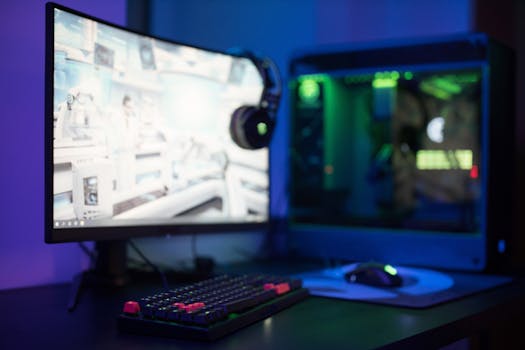 Photo: Ron Lach / Pexels